
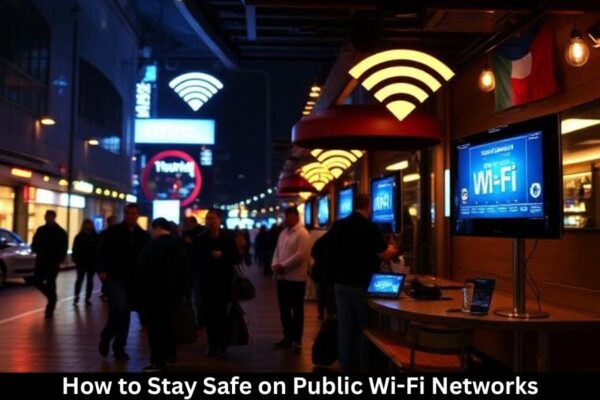
Public Wi-Fi is everywhere—coffee shops, airports, hotels, even shopping malls. It’s convenient, free, and often tempting to use. But here’s the catch: public Wi-Fi is like an open window into your device, making it a playground for cybercriminals. Whether you’re checking emails, shopping online, or accessing sensitive information, staying safe is non-negotiable.
Understanding Public Wi-Fi Risks
What Is Public Wi-Fi?
Public Wi-Fi refers to wireless networks that are openly accessible to anyone. Unlike secured private networks, public Wi-Fi often lacks strong authentication, leaving users vulnerable.
Common Security Threats
Man-in-the-Middle Attacks
Hackers can intercept communications between your device and the network, capturing sensitive information like login credentials, bank details, or personal messages.
Data Sniffing and Eavesdropping
Unencrypted Wi-Fi traffic can be monitored by cybercriminals. Think of it like sending a postcard instead of a sealed letter—anyone can read it.
Fake Wi-Fi Hotspots
Cybercriminals set up rogue networks with familiar names, tricking users into connecting and stealing their data.
Malware Distribution
Some public networks may be used to deliver malicious software directly to connected devices, compromising security.
Best Practices for Staying Safe
Use a Virtual Private Network (VPN)
A VPN encrypts your connection, making it nearly impossible for hackers to access your data. Always connect to a reputable VPN when using public Wi-Fi.
Enable HTTPS and Secure Websites
Look for HTTPS in website URLs—this encryption ensures that your data remains secure in transit.
Turn Off Automatic Connections
Disable automatic Wi-Fi connections on your device to prevent it from joining suspicious networks without your knowledge.
Avoid Sensitive Transactions
Avoid online banking or shopping on public Wi-Fi. If necessary, use a VPN or your mobile data.
Keep Your Device Updated
Software updates often patch security vulnerabilities. Keep your OS, apps, and antivirus software up to date.
Use Two-Factor Authentication (2FA)
Even if a hacker gains your password, 2FA adds an extra layer of protection.
Disable File Sharing and AirDrop
File sharing can expose your files to strangers on the same network. Turn off AirDrop and file sharing when using public Wi-Fi
Device-Specific Security Tips
Smartphones
- Use secure apps only
- Avoid connecting to unknown networks
- Regularly review app permissions
Laptops
- Keep your firewall enabled
- Disable network discovery
- Avoid using public Wi-Fi for sensitive work
Tablets
- Install antivirus apps
- Update OS regularly
- Use VPN for all online activities
Recognizing Suspicious Wi-Fi Networks
Identifying Fake or Rogue Hotspots
Be cautious of networks with generic names like “Free Wi-Fi” or misspelled versions of known networks.
Checking Network Names (SSIDs)
Always verify network names with staff or signage to ensure authenticity.
Advanced Safety Measures
Use Firewalls
Firewalls prevent unauthorized access to your device, providing an additional security layer.
Encrypt Your Device Storage
If your device is stolen, encryption keeps data unreadable without a password.
Regularly Monitor Your Accounts
Check your bank and online accounts frequently for suspicious activity.
Tips for Businesses and Frequent Travelers
Secure Company Devices
Ensure company laptops and phones are equipped with security software and VPN access.
Use Corporate VPNs
Employees connecting remotely should always use a secure corporate VPN to protect company data.
Educate Employees on Wi-Fi Risks
Regular training on Wi-Fi security can prevent accidental breaches.
Emergency Actions if Your Data Is Compromised
Change Passwords Immediately
Prioritize accounts containing financial or personal information.
Monitor Bank Accounts and Credit Cards
Look for unauthorized transactions and report them immediately.
Report Suspicious Activity
Inform your bank, employer, or relevant authorities to minimize damage.
The Future of Wi-Fi Security
Wi-Fi 6 and WPA3 Encryption
New Wi-Fi standards offer stronger encryption and improved security for public networks.
AI-Driven Threat Detection
AI is being integrated into networks to detect suspicious activity in real-time, protecting users proactively.
Conclusion
Public Wi-Fi is convenient but comes with real risks. By understanding potential threats, using VPNs, enabling encryption, and practicing safe habits, you can protect your data from cybercriminals. Remember, the key is vigilance: don’t let convenience compromise your security.
FAQs
1. Is public Wi-Fi really unsafe?
Yes, if unprotected, it exposes your data to hackers, malware, and rogue networks.
2. Can a VPN make public Wi-Fi completely safe?
A VPN greatly improves safety by encrypting your connection, but safe habits are still necessary.
3. Should I avoid public Wi-Fi for banking?
Yes, it’s best to use mobile data or a VPN when accessing sensitive accounts.
4. How can I recognize a fake Wi-Fi hotspot?
Check for misspelled names, ask staff, and avoid networks with generic names like “Free Wi-Fi.”
5. What are the most important steps to stay safe?
Use a VPN, enable HTTPS, disable automatic connections, avoid sensitive transactions, and keep devices updated.