
Let’s be honest: IT infrastructure can get messy at times. You’ve got compute here, storage there, networking somewhere in between, and half the time these things don’t talk to each other as smoothly as the brochure promised. That’s exactly why hyperconverged infrastructure deployment has become such a big deal over the past few years.
The idea is simple: collapse all those moving parts into one unified platform.
And if you’re shopping around for HCI vendors right now, Sangfor HCI deserves a serious look. It’s not just another checkbox product. It actually delivers on the promise of simplicity without gutting your flexibility.
If you have been operating on outdated legacy systems, it’s time to upgrade. And today, we’ll help you with that, with Sangfor HCI as the solution for your enterprise.
This guide walks you through deploying HCI, especially Sangfor HCI, from planning to go-live. So, let’s get down to it and understand how HCI architecture works and what you can do for seamless HCI implementation.
Why Sangfor HCI? A Quick Word Before We Dive In
There are plenty of HCI vendors on the market, including Sangfor HCI, Nutanix, VMware, Scale Computing, StarWind, and HPE SimpliVity. If you are looking for alternatives, then these are some genuine options to consider.
True story: many IT teams are already actively searching for VMware alternatives, especially after Broadcom’s licensing changes made costs harder to predict.
(If you haven’t checked out VMware licensing recently, it’s worth a read; things have shifted quite a bit, and, as an IT member, you must acknowledge it.)
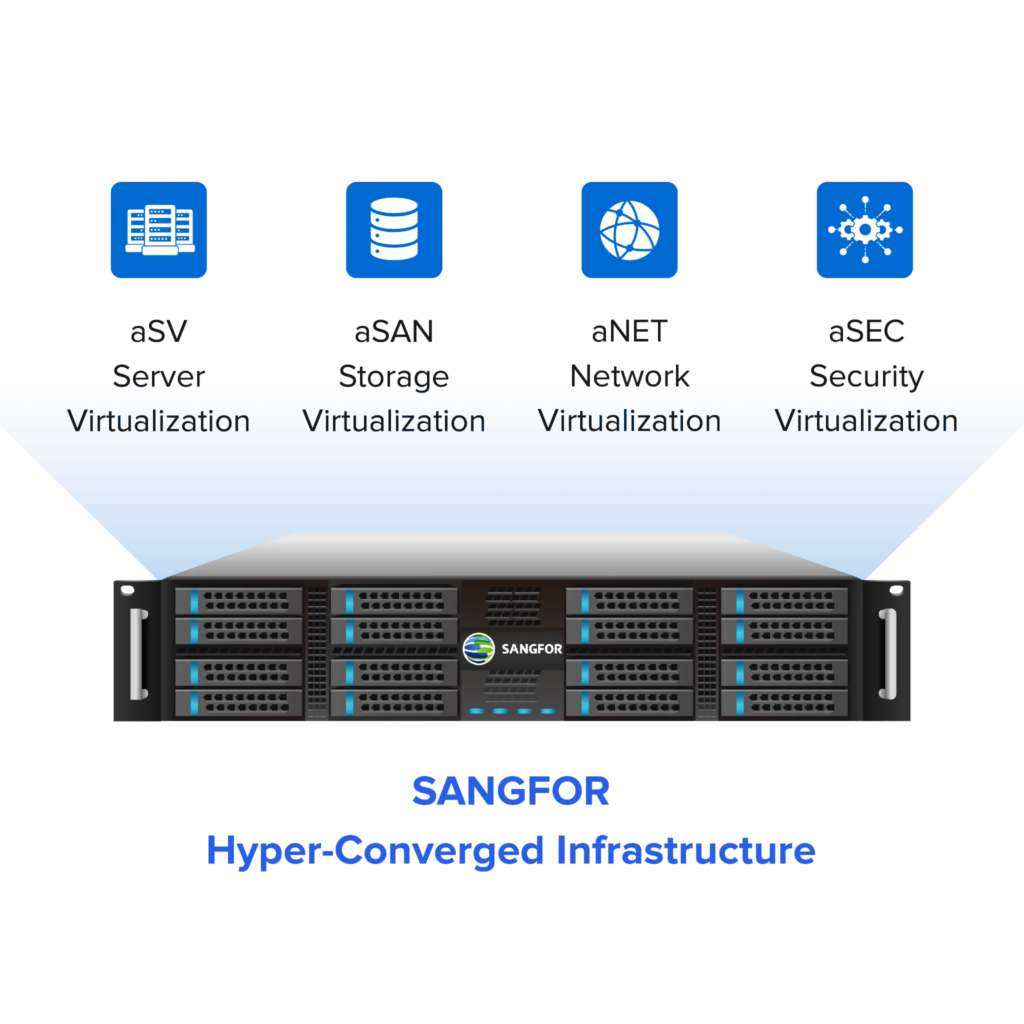
Fortunately, Sangfor hyperconverged infrastructure (HCI) stands out because it bundles everything under one roof: aSV for virtualization, aSAN for distributed storage, aNET for networking, and aSEC for security, all in a single-edition license.
Enterprises around the world have been resorting to Sangfor HCI for its licensing and subscription models that don’t surprise users. Whether you want to scale your infrastructure or need instant help from the support team, Sangfor is there.
Most importantly, Sangfor makes deployment easy for enterprises with guided assistance throughout the process. Nishat Emporium Mall was running on VMware and had a vSphere and SAN-dependent infrastructure. They chose to replace it with Sangfor HCI, gaining full HA, live migration, automation, and integrated backup during a smooth replacement process.

In fact, Gartner has recognized it as a server virtualization software of choice due to its innovative 3rd-generation design.
Why is Sangfor HCI popular for hyperconverged infrastructure deployment?
Sangfor HCI is popular on profound peer review platforms like G2 because it combines virtualization, storage, networking, and security into a single integrated platform. Instead of managing multiple standalone tools, enterprises can deploy and operate infrastructure through one centralized system. This simplifies HCI implementation, reduces deployment complexity, and helps organizations lower overall infrastructure management costs.
Step 1: Plan Before You Touch Anything
We can’t stress this enough. Don’t skip the planning phase. A lot of deployments run into trouble not because the product is broken, but because someone underestimated their workload requirements or forgot to check hardware compatibility.
Here’s what you need to figure out upfront:
- Workload profile: Are you running VDI? Database workloads? Or is it a Mixed situation? Your storage tiering config will differ significantly.
- Hardware specs: Sangfor can technically run with lower specs in lab or ROBO (Remote Office Branch Office) setups, but dual CPU, 128GB RAM, and 10GbE is an appropriate baseline for production clusters. Spinning disks will bottleneck primary workloads, but HDDs are still acceptable for cold tiers or backup workloads in a SAN.
- Cluster size: Start with at least three nodes for proper clustering and redundancy. Two nodes are technically possible, but it leaves you with no real failover buffer.
- Network layout: Plan your management VLANs, storage networks, and out-of-band access before anything gets racked. Changing this mid-deployment is painful.
Sangfor supports servers from most major vendors. Therefore, compatibility usually isn’t an issue, but double-check your specific model against their hardware compatibility list before ordering.
Step 2: Get Your Software and Licenses Ready
Log in to the Sangfor support portal and grab the HCI OS ISO, your license files, and any relevant firmware packages. Make sure everything is downloaded before you’re standing in the data center with a USB stick.
One thing people miss: prepare your switches ahead of time. You’ll need them configured for the management VLAN and out-of-band access before the OS install begins. Get your network team involved early if that’s not you.
Step 3: Install and Configure Each Node
Boot each server from your prepared USB drive and run the Sangfor HCI OS installer. The process is guided; you set the IP addresses and management interface during this step. It usually takes about 15–20 minutes per node, depending on your hardware.
Licensing is applied via the management console and validated at the cluster level, though nodes must be licensed before full functionality is available. This unlocks the full feature set. Don’t skip this before moving to cluster setup, or you’ll hit walls quickly.
Step 4: Build the Cluster
Open the Sangfor HCI management console, select your primary node, and use the cluster ID to join the remaining nodes. The console walks you through it visually, which is genuinely nice, no cryptic CLI commands required.
Once all nodes are joined, the platform automatically initializes a unified virtual storage pool. You’ll see your aSAN datastore appear as a single usable resource across the whole cluster. This is where hyperconverged infrastructure deployment really starts to feel different from traditional setups. There’s no separate storage admin console, no separate SAN config. It’s all right there.
Step 5: Configure Storage and Networking
Now, set up a SAN properly. Configure your data tiering policies based on workload priority, hot data on NVMe, warm on SSD, and cold can spill to HDD if you have it. If you’re extending to external storage via iSCSI, this is where you enable and configure that too.
For networking, use aNET to create your virtual switches and VLAN configurations. This mirrors what you’d do in a traditional environment, but it’s managed entirely within the HCI platform rather than hopping between your hypervisor and a separate network management tool.
Step 6: Stand Up Virtualization and Security
Enable virtualization services and begin provisioning or migrating VMs, since aSV is already part of the HCI OS. If you’re coming from a VMware environment, Sangfor supports importing existing VMs; the migration path isn’t frictionless, but it’s manageable with proper planning.
For security, activate aSEC by uploading the EDR VM images, configuring the security ports, and installing agents across your resource pools. This is genuinely one of the things that sets Sangfor apart from other hyperconverged infrastructure options; you’re getting built-in endpoint security and network security functions, not just a hypervisor.
Run a failover test using the built-in CDP (Continuous Data Protection) feature before you declare the deployment done. Don’t skip this step. You want to know your DR actually works before you need it.
Does Sangfor HCI include built-in security during deployment?
Yes. One of the major advantages of Sangfor HCI is that security is integrated directly into the platform through Sangfor aSEC. Enterprises can deploy endpoint protection, network security, and threat detection capabilities within the same HCI environment instead of relying entirely on separate third-party security products. This integrated approach helps simplify infrastructure operations while improving overall security visibility. Check out how Sanfor have boosted cloud security for VTS with their integrated HCI & SCP.
What are the top HCI Vendors for Zero-Downtime Deployment?
Sangfor leads the list of top HCI vendors known for zero‑downtime deployment, thanks to its built‑in high availability, seamless live‑migration, and resilient architecture.
Other strong contenders include Nutanix, VMware vSAN, Cisco HyperFlex, HPE SimpliVity, and Dell EMC VxRail, each offering advanced failover, data protection, and uninterrupted workload continuity.
Post-Deployment: Keep an Eye on Things
Once you’re live, plug into the Sangfor Cloud Platform for ongoing monitoring. SkyOps provides AIOps-driven insights, things like performance anomaly detection and capacity forecasting, which saves a lot of reactive firefighting.
If you’re running containerized workloads, Sangfor supports Kubernetes orchestration, so cloud-native apps aren’t an afterthought. Set up autoscaling policies early so the platform adapts to demand without you manually intervening every time workloads spike.
A Quick Deployment is Underway
A small cluster can be up and running in under an hour, seamlessly using the visualized Sangfor Cloud Migration Tool (SCMT). That’s not marketing speak; it’s legitimately fast compared to piecing together traditional infrastructure.
If you’re evaluating HCI vendors and haven’t put Sangfor on your shortlist, it’s worth doing. The all-in-one licensing, built-in security, and straightforward deployment process make a strong case, especially for teams that don’t have dedicated storage, networking, and security admins sitting around separately.
Start with a proof-of-concept on three nodes. See how it fits your environment. Most teams find it hard to go back to the old way of doing things.