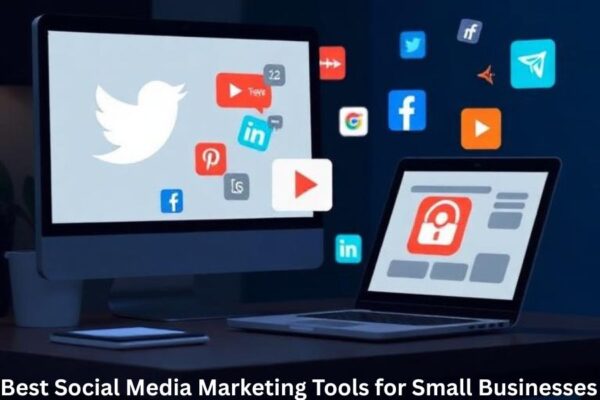
Managing social media as a small business owner can feel like juggling five things at once while trying to stay creative, consistent, and relevant. But here’s the good news: the right tools can save you time, boost your productivity, and dramatically improve your online presence.
Why Social Media Tools Matter
Social media tools take the guesswork out of posting, designing, analyzing, and managing your online strategy. Instead of spending hours every week trying to plan content manually, these tools streamline the entire process.
Challenges Small Businesses Face in Social Media Management
Small businesses often juggle:
- Limited budgets
- Lack of dedicated social media staff
- Difficulty staying consistent
- Lack of clear analytics
Using the right tools solves most of these problems.
What to Look for in a Social Media Marketing Tool
Ease of Use
If the tool is complicated, you won’t use it consistently. Simplicity is key.
Cost-Effectiveness
Small businesses need budget-friendly solutions without compromising quality.
Automation Features
Scheduling posts, auto-publishing, and content recycling help save time.
Analytics & Reporting
You can’t improve what you don’t measure. Look for tools offering clear, actionable insights.
Top Social Media Marketing Tools for Small Businesses
Below are the best tools to simplify your content creation, scheduling, and analytics.
1. Buffer
Key Features
- Clean, user-friendly dashboard
- Multi-platform scheduling
- Link shortening and tracking
- Team collaboration
Why It’s Good for Small Businesses
Buffer is affordable, easy to use, and perfect for businesses that want a streamlined scheduling tool without unnecessary complexity.
2. Hootsuite
Key Features
- Manage multiple platforms from one dashboard
- Robust analytics
- Content calendar view
- Social listening features
Pros & Cons
Pros: Excellent analytics and scheduling.
Cons: Higher price compared to other tools.
3. Canva
Why Visual Content Matters
Eye-catching visuals can significantly boost engagement. Even if you’re not a designer, Canva helps you create stunning graphics.
Key Features
- Thousands of templates
- Drag-and-drop editor
- Social media post sizes ready-made
- Branding tools
4. Later
Instagram-Focused Features
Later shines for Instagram users with:
- Drag-and-drop visual planner
- Hashtag suggestions
- Reels and stories scheduling
Scheduling Benefits
Its grid preview makes planning aesthetics effortless, helping small businesses maintain a professional look.
5. Sprout Social
Best for Managing Multiple Profiles
Sprout Social is perfect for growing businesses handling many accounts.
Analytics Strength
Its detailed analytics help you make data-driven decisions for long-term growth.
6. Meta Business Suite
Benefits for Facebook and Instagram
Meta Business Suite is ideal for small businesses active on Facebook and Instagram.
Free Features
- Unified inbox
- Post scheduling
- Insights and ads management
Best of all—it’s completely free.
7. SocialBee
Content Categories
SocialBee lets you categorize your content to maintain a balanced posting strategy.
Evergreen Posting
It automatically reposts evergreen content, saving you time and keeping your feed active.
8. Mailchimp (For Social Ads & Integration)
Social Ad Features
Mailchimp isn’t just for email—it also allows small businesses to run Facebook and Instagram ads.
Email + Social Integration
This makes it easier to create unified campaigns across platforms.
9. BuzzSumo
Content Research Features
BuzzSumo shows what’s trending in your niche, helping you generate content ideas that actually perform.
Influencer Discovery
You can also find influencers to collaborate with, filtering by niche and engagement.
10. Google Analytics
Tracking Social Media Traffic
Google Analytics helps you understand how much website traffic is coming from your social platforms.
Measuring ROI
You’ll see which posts lead to actions like purchases, signups, or inquiries.
Comparison of Top Tools
Best for Scheduling
Buffer, Later, Hootsuite
Best for Design
Canva
Best Budget-Friendly Options
Meta Business Suite, Buffer free plan, Canva free plan
How to Choose the Right Tool
Matching Tools to Your Business Needs
Ask yourself:
- Do you need better design? → Canva
- Do you struggle with consistency? → Buffer or SocialBee
- Do you run ads frequently? → Meta Business Suite or Mailchimp
Understanding Your Goals
Your tools should align with your business goals—whether it’s increasing engagement, boosting visibility, or generating leads.
Conclusion
Social media marketing doesn’t have to be overwhelming—especially when you have the right tools by your side. Whether you’re designing beautiful posts, scheduling content, analyzing performance, or managing ads, these tools give you everything you need to grow your business efficiently. Start small, choose tools that fit your workflow, and stay consistent. Your social media presence will grow faster than you think.
FAQs
1. What is the best social media tool for beginners?
Buffer and Canva are beginner-friendly with simple interfaces.
2. What is the most cost-effective tool?
Meta Business Suite offers many powerful features for free.
3. Which tool is best for Instagram scheduling?
Later is one of the top choices for Instagram-focused brands.
4. Do small businesses need analytics tools?
Yes, analytics help you understand what’s working and where to improve.
5. What tool helps with content ideas?
BuzzSumo is excellent for researching trends and generating fresh ideas.