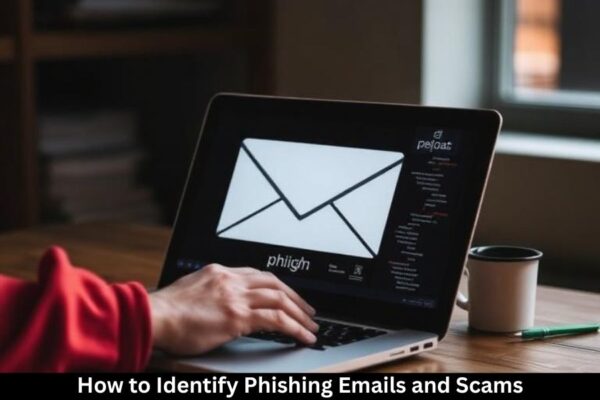
Phishing emails are everywhere—your inbox, your messages, even your social media DMs. They’re sneaky, convincing, and designed to fool you into giving away your personal information. Understanding how to identify phishing scams is one of the most valuable digital skills you can learn today.
What Is Phishing?
Phishing is a cyberattack where scammers pretend to be trusted individuals or companies to trick you into revealing sensitive information such as passwords, bank details, or personal data.
Why Phishing Is So Common
Phishing is cheap, easy, and effective for scammers. With millions of emails sent daily, even if a small number fall for the trick, attackers profit.
Common Types of Phishing Attacks
Email Phishing
This is the most common type. Scammers send fake emails pretending to be banks, schools, or companies.
Spear Phishing
A targeted attack aimed at a specific individual. These are more personalized and harder to spot.
Smishing and Vishing
- Smishing uses text messages.
- Vishing uses voice calls to deceive people.
Clone Phishing
Scammers copy a real email you once received and modify it with malicious links.
Red Flags to Identify Phishing Emails
Suspicious Sender Addresses
Always check the sender’s email. Fake addresses often look similar to real ones but with slight changes.
Fake vs. Real Email Domains
Example:
- Real: support@apple.com
- Fake: support@apple-security.com
Poor Grammar and Spelling
Professional companies do not send emails full of typos.
Urgent or Threatening Language
Details like “Your account will be closed in 24 hours!” are designed to pressure you into reacting quickly.
Unexpected Attachments
Never open attachments unless you trust the sender completely.
Fake Logos and Branding
Scammers often copy logos, but they may appear blurry, stretched, or incorrectly placed.
Dangerous Links and How to Spot Them
Hovering Over Links
Hover your mouse over a link to see where it really leads. If it looks suspicious, don’t click.
URL Shorteners
Scammers hide malicious links behind shortened URLs.
Misspelled Website Names
Fake sites may use small tweaks like:
- amaz0n.com
- paypa1-login.com
Psychological Tricks Scammers Use
Fear and Panic Triggers
Emails threatening account closure or unauthorized activity push you to react fast.
Curiosity and Reward Tactics
“Congratulations! You’ve won a prize!”—likely a scam.
Impersonation of Authority
Scammers often pretend to be teachers, bank officials, or government agents.
How to Check If an Email Is Legit
Verify with the Official Website
Instead of clicking links, manually type the company’s official website into your browser.
Contact the Company Directly
Use official customer support numbers—not the ones in the suspicious email.
Use Email Authentication Tools
Tools like SPF, DKIM, and DMARC help detect spoofed emails.
Examples of Realistic Phishing Scams
Banking Fraud Emails
These pretend to warn you about urgent problems with your account.
Fake Scholarship or School Emails
Students often receive fake opportunities or notices regarding tuition.
Social Media Recovery Scams
Scammers send fake “Reset your password” notices.
Best Practices to Stay Safe
Use Strong Passwords
Combine symbols, numbers, and letters.
Enable Two-Factor Authentication
Even if someone gets your password, they won’t have your code.
Avoid Clicking Suspicious Links
Always double-check before tapping anything.
What to Do if You Fall for a Phishing Scam
Change Your Password Immediately
Protect your accounts before any damage happens.
Report the Scam
Inform your email provider or IT department.
Scan Your Device
Use antivirus software to detect potential infections.
Tools to Help Detect Phishing
Antivirus Software
Helps block malicious links and attachments.
Browser Security Features
Modern browsers warn you about unsafe websites.
Spam Filters
Auto-detect and block common phishing messages.
Training Yourself to Spot Scams
Cybersecurity Awareness Training
Many free online resources can improve your skills.
Staying Updated on New Scams
Scammers constantly evolve—stay informed to stay safe.
Why Phishing Continues to Evolve
As technology improves, so do scammers. They learn new tricks, create more realistic emails, and target victims more strategically.
Conclusion
Phishing emails and scams may be everywhere, but once you know what to look for, they become much easier to spot. Always slow down, think twice, and check everything carefully. With awareness and caution, you can keep your information safe and avoid falling victim to online scams.
FAQs
1. What is the easiest way to recognize phishing?
Check the sender’s address, look for poor grammar, and avoid clicking unknown links.
2. Are phishing emails dangerous if I don’t click anything?
Just opening them is usually safe—but avoid clicking attachments or links.
3. What should I do if I clicked a phishing link?
Change your password, scan your device, and monitor your accounts.
4. Why do scammers want my information?
They use it for identity theft, financial fraud, or to hack your accounts.
5. Can phishing happen through text messages?
Yes—smishing scams are common and just as dangerous.